sobota, 26 maja 2012

HOWTO: Private version control repository in the cloud

With all the cloud storage services - Dropbox, Google Drive etc. - offering seamless integration with your computer's native file system, I'm sure the idea of using it as storage for a private VCS crossed many minds. While the architecture of some of them (SVN daemon, for instance, needs to be run as a service on the hosting server) does not allow it, it's possible by all means with Git. Some of the cool thing about this VCS are that it's open source, handles binaries quite well, is decentralized, and - most importantly in the context of this post - supports multitudes of ways to access remote repositories, plain file system-based access included.

Update: I apparently forgot to include one important step in this guide which would effectively prevent you from using the synced repo as intended. I included a new step 3 in the setup, but you don't need to re-do everything from scratch, you can just as well do it after everything.

Now, before we go on, if you don't know Git yet, I suggest you go read about how it differs from e.g. SVN.

How it works

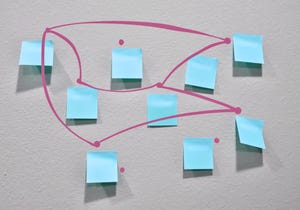
The diagram above shows the basic idea behind the trick I'm describing. It's extremely simple in practice: you make your local changes, commit them, then when you push to the cloud repo, your cloud service (Dropbox, Google Drive, whatever) synchronizes it. All the other team members can then pull in your changes from their instances of the cloud repo. It's that easy!

Setup

As a Linux person, I'll stick to the command line here; however, if you're using Git on Windows, it comes with a nice GUI that should easily guide you through. So, here are the steps:
  1. Go to your cloud-synced area and create a new directory for your repo. Get in there with a shell:
    • $ cd ~/dropbox
    • $ mkdir test_repo
    • $ cd test_repo
  2. Type git init to start a new repo. This initializes the infrastructure, however, the master branch will not be created until you either do so manually, or try to add a new file. I always just add an empty readme. Commit your initial change.
    • $ git init
    • $ touch README
    • $ git add README
    • $ git commit -a -m "initial commit"
  3. Now, in order for pushing to work, we need to convert the synced repo to a bare one - it's a state in which the repo only keeps track of the changes without holding the current-state copies of files. In order to do that, we need to flick a switch in the config and delete all of the working copy's files. Don't worry, we're not deleting them permanently! For more information, see here.
    • $ git config --bool core.bare true
    • $ rm README
  4. Go to wherever you want to keep your local repo (a.k.a. working copy). Clone into the cloud-synced repo by providing the file system path to it.
    • $ cd ~/projects
    • $ git clone /home/inequation/dropbox/test_repo
  5. Done.
And that's all there is to it! You can now push and pull to and from the cloud-synced repo and collaborate with your teammates.

środa, 16 listopada 2011

On Google's internship recruitment process

I've recently been into their internship program and I get asked about this a lot, so I'll just wrap it up in a blog post for everyone to see how it works. I'll mostly let the Google employees' emails describe the thing.

UPDATE: Due to some concerns about the classification of the emails I quoted, I temporarily removed them. I'm awaiting Google's response on the subject, hopefully they'll allow me to put them back up again.

First Contact

It all started with LinkedIn (if you work in IT and don't have an account there, I strongly suggest you to get one!) - a Google recruiter stumbled upon my profile (email date, so that you can get an idea of the timeline: March 2, 2011):

[here was an email inviting me to take part in Google's full-time engineer recruitment]
Huh? You can imagine my surprise upon receiving this email. Anyway, I replied with something along the lines of "I'm flattered by your offer, but I've still got 2 years until graduation, yadda yadda." I thought that'd be the last time I heard from her, but then (March 2, 2011):
[here was an email offering me to go for an internship instead]
Hmm. Hell, I thought, it's nothing binding, bring it on. Besides, I didn't really expect them to actually contact me. And, guess what... I was wrong again! May 11, 2011 brings me this email:
[here was an email giving an overview of the internship and detailing the initial requirements - CV, education, going back to university after the internship etc., also stating that if I want to go for the 2011 tour, I need to decide quickly, the other option being waiting a few months and contacting again later for a 2012 tour]
The Email Exchange

We arranged to wait until autumn 2011 for further contact. In September I emailed Frida again with another inquiry and received further information about the entire program, and got a response on September 15:
[here was an email detailing how the recruitment process works (2 to 3 phone interviews + an informal chat with the project manager once you're assigned to one) and a list of information you need to provide - preferred languages, interesting projects you've recently taken part in, areas of interest, university GPA, possible internship time spans and preferred Google office locations (you need to work on site)]
After submitting this information, Frida arranged my first interview. In the meantime I received some tips for preparation. The following came in on the 23rd of September.

Warning - a pretty lengthy read ahead! It's not all relevant though, you can safely skip to the next non-indented paragraph.
[here was an email that they allegedly usually send to full-time applicators only, but the recruiter thought it'd be useful to me; it's a lengthy list of tips on how to prepare for the interview, mostly stuff that's good to know, including the basics of algorithms and data structures, networks, computer graphics, maths etc., together with some suggestions on how to brush your skills]
The Interviews

The interviews take the form of a phone call (Google pays) with a Google Document shared between you and the interviewer (who is a Google engineer) and lasts from 45 minutes to 1 hour. A hands-free phone set, a broadband Internet connection and sufficient power supply (for the phone and/or the laptop) are needed for the basic comfort. Every interview begins with a short chat about your background - your work, university, areas of interest, then you go on to solving some programming problems, coding inside the Google document. After completing the task, you are asked to evaluate the algorithm complexity and, if possible, offer ideas for optimizations.

In the first interview I was tasked with coding a non-uniform random number generator - I had an array of numbers that were supposed to be returned and a corresponding array of probabilities.

In the second one, I were given 2 strings, and was supposed to return the first, minus the characters from the second one; as a second task, I was asked to find the maximum sum of a subsequence in a finite sequence of numbers.

In the third one, the interviewer started by asking me to explain, what exactly happens from the moment a user types in a URL into the address bar of a web browser to when the website actually appears on the screen. A few more questions about DNS and routing followed, and then we moved on to a programming task - a reader of a very simple image format (1 bit per pixel, black & white) together with a unit test.

After each interview there is a bit of time when you can ask any questions you might have about how Google works.

The Resolution

And that's how I got where I am currently - after a positive resolution (I received word on the November 11) of the feedback gathering process you are asked to once again reconfirm your areas of interest, preferred Google office locations and availability. It should take 4 to 6 weeks for them to find a project that matches your profile.

And that's pretty much all there is to it!

czwartek, 28 kwietnia 2011

Thoughts on cheating in online gaming

And now for something completely different. I've written this short analysis of the cheating phenomenon in multiplayer first person shooter games as a preface to my C++ university project report. It summarizes my thoughts on the subjects from the past few years, and I'm posting it here to use it to save my breath/keyboard strokes when explaining the weakness of the PunkBuster anticheat model (or any of its clones) to those who still believe it will protect their server from cheaters.

Problem definition


Multiplayer games, akin to sports, have been plagued by cheaters almost since their inception. While in the latter case the community struggles against artificial, biochemical augmentation of the players' bodies (doping), in digital competition we are running up against digital "skill boosters".

Narrowing the problem down to FPS (first-person shooter) games, we can define the two basic cheat classes:
  • those that augment the player's motor skills and reaction time and aid them in aiming at enemies and pulling the trigger - these are called aimbots,
  • and those that augment the player's perception by revealing the location of enemies and/or important gameplay objects, using various means (turning walls transparent, giving text or audio hints to the player etc.) - we'll put them under the umbrella term of a wallhack.
There is also the speedhack class of cheats, which we are not considering here. They exploit the fact that most popular engines' player locomotion code utilizes client clock for movement physics; older game engines, when fed with client input data at a double rate, would also move the player around the game world at double the speed. The reason we are not dealing with them is that they can be easily denied existence by well thought-out game logic alone, which is the case with practically all modern technologies.

Traditional countermeasures and their weaknesses

The traditional approach to combating cheats is to use methods similar to antivirus software: scanning the client systems for violations of game code and content integrity and/or traces of cheater programs, and sending the scan results over the network to the server. However, this method is fundamentally flawed - since the entire system relies on the honesty of the client component, which is beyond any reliable control of the server, a smart hacker may create a cheating program which will be able to either modify the anticheat system's transmission to send false negatives, or spoof the system entirely, claiming to be the actual anticheat client. Alternatively, having full, physical control of the client machine, the hacker can opt to sandbox the anticheat scanner (i.e. run it in a contained environment, intercepting and manipulating all of its system calls that perform the actual scanning etc.), effectively concealing the presence of the cheater program from it. Surely, it requires the hackers to present a remarkable level of skill; there are numerous examples, however, where this has been done, and it will be done even more frequently in the future, as e-sports tournaments and leagues gain prestige and real-world profits from gaming become involved.

This should leave you with no doubt that these vulnerabilities render the traditional model completely useless. Dependence on client-provided data is unsafe and should be discarded in favour of an untrusted approach: it should actually be assumed, from the very start, that the client is in fact attempting to cheat.

Proposed solution

When an experienced player spectates another person's performance in game, they are well capable of reliable recognition whether that person is playing honestly or they're using a cheat; especially when they're equipped with appropriate means, e.g. a wallhack of their own, which enables them to see what a cheating player would see, and connect the cheater's actions with gameplay events. I assume, then, that it is also possible to teach a computer to do just that. I'm trying to develop a scanner which will not be prone to these flaws, as it follows an entirely different principle, based on heuristics. My solution will run server-side only, which will eliminate the risk of spoofing and the clients feeding us false negatives. Machine learning will be utilized to teach the decision algorithms to tell cheaters from honest players via the means of behaviour analysis alone.

The project is in active development, even though it still has a long way to go.

sobota, 5 marca 2011

HOWTO: Running MASM 6.11/6.14 in Linux

OK, let me start with an explanation why I'm trying to run this 19 years old antique. Yeah, you guessed it right - we're using it at the university to learn x86 assembly. Sheesh.

Anyway, I'm positive I don't want any Windoze crap on my laptop, so the only option for me to use this piece of software is to emulate its native environment. Starting with Dosbox, I easily got MASM 6.11 to work. But then I applied the 6.14 patch (which is supposed to enable support for CPUs newer than 486) and suddenly the build process started failing. I checked the build logs and guess what - the actual assembler in 6.14 is in fact a Windows app! What the hell?!

So I thought, OK, let's try Wine. And guess what? While the assembler works fine, the WorkBench (the IDE) complains about the environment being too small. Damn it!

But hey, I'm a hacker! I came up with the following idea: write a fake Dosbox command that launches the assembler in Wine and redirect all output back to Dosbox. And I put the idea into code. Here's a little HOWTO.

Disclaimer
This is a quick and ugly hack. It's about as makeshift as it can possibly be, so please don't go flaming me about its quality and the awkwardness of steps you need to take to get it working.

You have been warned.

Prerequisites

  1. Dosbox source code - grab it from the SVN or download a tarball from their Sourceforge page.
  2. Installed Wine - any version that can run the 6.14 ML.EXE, preferably from your distro's packages.
  3. MASM 6.11 with the 6.14 patch, either an already set-up install or the installation files.
  4. My patch for the ML.EXE cross-emulation hack. ;)
How it works
The hack simply registers a Dosbox virtual command, ML.EXE. When run, the command opens a pipe and executes the real assembler in Wine, grabbing its stdout output and sending it back to Dosbox. When NMAKE tries to build your project, it simply runs the virtual command instead of the compiler. As simple as that!

Setup
OK, so we're going to use a separate build of Dosbox just for the sake of MASM development. Here are the steps:
  1. Get your Dosbox source tree up and compiling. Don't apply the patch yet, just make a vanilla build.
  2. Use the build created in the first step to install MASM 6.11 and the 6.14 patch.
  3. Rename BIN/ML.EXE and BIN/ML.ERR to something else, e.g. MLREAL.EXE. This step is absolutely crucial, otherwise the locally-found ML.EXE will be run instead of the virtual command.
  4. Make sure Wine can reach the MASM installation (e.g. by creating a symlink for the MASM611 directory from Dosbox's C: directory to Wine's).
  5. Before applying the patch, open it in your favourite text editor and change the lines at the top with the MLReal and BINR constants, according to your own setup.
  6. Apply the patch (e.g. $ patch -p0 < masmhack.diff).
  7. Rebuild Dosbox.
Voilla! If you now run WorkBench in our custom Dosbox build, it should be able to compile our code with the 6.14 assembler, no problem. It might just be a little slow, though, because Wine takes a while to start up, but since I won't be using it much (just the first 2 classes of the x86 assembly course), I'm okay with it.

There, hope this helps someone. If anything's not clear enough, feel free to shoot a question in the comments.

wtorek, 22 lutego 2011

Yakuake/Tilda-style console in Windows (bonus: unix shell with MSYS!)

So I decided a yakuake-style shell would be useful at work. After googling around a bit I got it to work:

I came up with the following software combination:
Cutting straight through the bullcrap, here's the AutoHotkey script I used (binding the console to the F12 key):
f12::
DetectHiddenWindows, on
IfWinExist ahk_class Console_2_Main
{
IfWinActive ahk_class Console_2_Main
{
WinHide ahk_class Console_2_Main
WinActivate ahk_class Shell_TrayWnd
}
else
{
WinShow ahk_class Console_2_Main
WinActivate ahk_class Console_2_Main
}
}
else
Run c:\console2\console.exe
DetectHiddenWindows, off
return
And the Console2 configuration file (console.xml), which gives me my favourite settings - transparent background, Ctrl+Shift+T for a new tab and the GNU bash shell:

<?xml version="1.0"?>
<settings>
<console change_refresh="10" refresh="100" rows="25" columns="80" buffer_rows="500" buffer_columns="0" shell="C:\msys\1.0\bin\sh.exe --login -i" init_dir="C:\msys\1.0\bin" start_hidden="0" save_size="1">
<colors>
<color id="0" r="0" g="0" b="0"/>
<color id="1" r="0" g="0" b="128"/>
<color id="2" r="0" g="150" b="0"/>
<color id="3" r="0" g="150" b="150"/>
<color id="4" r="170" g="25" b="25"/>
<color id="5" r="128" g="0" b="128"/>
<color id="6" r="128" g="128" b="0"/>
<color id="7" r="192" g="192" b="192"/>
<color id="8" r="128" g="128" b="128"/>
<color id="9" r="0" g="100" b="255"/>
<color id="10" r="0" g="255" b="0"/>
<color id="11" r="0" g="255" b="255"/>
<color id="12" r="255" g="50" b="50"/>
<color id="13" r="255" g="0" b="255"/>
<color id="14" r="255" g="255" b="0"/>
<color id="15" r="255" g="255" b="255"/>
</colors>
</console>
<appearance>
<font name="Courier New" size="10" bold="0" italic="0" smoothing="0">
<color use="0" r="0" g="0" b="0"/>
</font>
<window title="Console" icon="" use_tab_icon="1" use_console_title="0" show_cmd="1" show_cmd_tabs="1" use_tab_title="1" trim_tab_titles="20" trim_tab_titles_right="0"/>
<controls show_menu="0" show_toolbar="0" show_statusbar="0" show_tabs="1" hide_single_tab="1" show_scrollbars="1" flat_scrollbars="0" tabs_on_bottom="1"/>
<styles caption="0" resizable="0" taskbar_button="0" border="0" inside_border="2" tray_icon="0">
<selection_color r="255" g="255" b="255"/>
</styles>
<position x="0" y="0" dock="0" snap="0" z_order="1" save_position="1"/>
<transparency type="1" active_alpha="230" inactive_alpha="230" r="0" g="0" b="0"/>
</appearance>
<behavior>
<copy_paste copy_on_select="0" clear_on_copy="1" no_wrap="1" trim_spaces="1" copy_newline_char="0"/>
<scroll page_scroll_rows="0"/>
<tab_highlight flashes="3" stay_highligted="1"/>
</behavior>
<hotkeys use_scroll_lock="1">
<hotkey ctrl="1" shift="0" alt="0" extended="0" code="83" command="settings"/>
<hotkey ctrl="0" shift="0" alt="0" extended="0" code="112" command="help"/>
<hotkey ctrl="0" shift="0" alt="1" extended="0" code="115" command="exit"/>
<hotkey ctrl="1" shift="1" alt="0" extended="0" code="84" command="newtab1"/>
<hotkey ctrl="1" shift="0" alt="0" extended="0" code="113" command="newtab2"/>
<hotkey ctrl="1" shift="0" alt="0" extended="0" code="114" command="newtab3"/>
<hotkey ctrl="1" shift="0" alt="0" extended="0" code="115" command="newtab4"/>
<hotkey ctrl="1" shift="0" alt="0" extended="0" code="116" command="newtab5"/>
<hotkey ctrl="1" shift="0" alt="0" extended="0" code="117" command="newtab6"/>
<hotkey ctrl="1" shift="0" alt="0" extended="0" code="118" command="newtab7"/>
<hotkey ctrl="1" shift="0" alt="0" extended="0" code="119" command="newtab8"/>
<hotkey ctrl="1" shift="0" alt="0" extended="0" code="120" command="newtab9"/>
<hotkey ctrl="1" shift="0" alt="0" extended="0" code="121" command="newtab10"/>
<hotkey ctrl="1" shift="0" alt="0" extended="0" code="49" command="switchtab1"/>
<hotkey ctrl="1" shift="0" alt="0" extended="0" code="50" command="switchtab2"/>
<hotkey ctrl="1" shift="0" alt="0" extended="0" code="51" command="switchtab3"/>
<hotkey ctrl="1" shift="0" alt="0" extended="0" code="52" command="switchtab4"/>
<hotkey ctrl="1" shift="0" alt="0" extended="0" code="53" command="switchtab5"/>
<hotkey ctrl="1" shift="0" alt="0" extended="0" code="54" command="switchtab6"/>
<hotkey ctrl="1" shift="0" alt="0" extended="0" code="55" command="switchtab7"/>
<hotkey ctrl="1" shift="0" alt="0" extended="0" code="56" command="switchtab8"/>
<hotkey ctrl="1" shift="0" alt="0" extended="0" code="57" command="switchtab9"/>
<hotkey ctrl="1" shift="0" alt="0" extended="0" code="48" command="switchtab10"/>
<hotkey ctrl="1" shift="0" alt="0" extended="0" code="9" command="nexttab"/>
<hotkey ctrl="1" shift="1" alt="0" extended="0" code="9" command="prevtab"/>
<hotkey ctrl="1" shift="0" alt="0" extended="0" code="87" command="closetab"/>
<hotkey ctrl="1" shift="0" alt="0" extended="0" code="82" command="renametab"/>
<hotkey ctrl="1" shift="0" alt="0" extended="1" code="45" command="copy"/>
<hotkey ctrl="1" shift="0" alt="0" extended="1" code="46" command="clear_selection"/>
<hotkey ctrl="0" shift="1" alt="0" extended="1" code="45" command="paste"/>
<hotkey ctrl="0" shift="0" alt="0" extended="0" code="0" command="stopscroll"/>
<hotkey ctrl="0" shift="0" alt="0" extended="0" code="0" command="scrollrowup"/>
<hotkey ctrl="0" shift="0" alt="0" extended="0" code="0" command="scrollrowdown"/>
<hotkey ctrl="0" shift="0" alt="0" extended="0" code="0" command="scrollpageup"/>
<hotkey ctrl="0" shift="0" alt="0" extended="0" code="0" command="scrollpagedown"/>
<hotkey ctrl="0" shift="0" alt="0" extended="0" code="0" command="scrollcolleft"/>
<hotkey ctrl="0" shift="0" alt="0" extended="0" code="0" command="scrollcolright"/>
<hotkey ctrl="0" shift="0" alt="0" extended="0" code="0" command="scrollpageleft"/>
<hotkey ctrl="0" shift="0" alt="0" extended="0" code="0" command="scrollpageright"/>
<hotkey ctrl="1" shift="1" alt="0" extended="0" code="112" command="dumpbuffer"/>
<hotkey ctrl="0" shift="0" alt="0" extended="0" code="0" command="activate"/>
</hotkeys>
<mouse>
<actions>
<action ctrl="0" shift="0" alt="0" button="1" name="copy"/>
<action ctrl="0" shift="1" alt="0" button="1" name="select"/>
<action ctrl="0" shift="0" alt="0" button="3" name="paste"/>
<action ctrl="1" shift="0" alt="0" button="1" name="drag"/>
<action ctrl="0" shift="0" alt="0" button="2" name="menu"/>
</actions>
</mouse>
<tabs>
<tab title="Console2" use_default_icon="0">
<console shell="" init_dir="" run_as_user="0" user=""/>
<cursor style="0" r="255" g="255" b="255"/>
<background type="0" r="0" g="0" b="0">
<image file="" relative="0" extend="0" position="0">
<tint opacity="0" r="0" g="0" b="0"/>
</image>
</background>
</tab>
</tabs>
</settings>
So, this. Now I have an easily accessible unix shell at work, yay!

niedziela, 13 lutego 2011

X41 tablet screen rotation script

I bought an IBM Thinkpad X41 tablet/laptop recently. I won't go into details, just dump a little script I wrote to handle screen rotation:

#!/bin/sh
xmessage -buttons 0:0,90:3,180:2,270:1 -center Clockwise rotation
dir=$?
xrandr -o $dir
case "$dir" in
"0") w="NONE";;
"1") w="CCW";;
"2") w="HALF";;
"3") w="CW";;
esac
xsetwacom --set cursor Rotate $w

Simply dump this code in a shell script, chmod +x it and there you go - you'll get a nice little window asking you which direction you want it to rotate.

sobota, 12 czerwca 2010

The AC-130 is in the air

So I turned my C programming project in earlier today. It got full marks, and the teacher was so impressed he didn't even take the test results into account when giving me my final mark in the subject. Even though it's not finished yet (i.e. it basically doesn't have gameplay yet), I'm quite proud of it!
Despite the performance problems on ATI/AMD GPUs, the renderer works very well on most hardware, and both it and the content generator (oh yeah, did I mention that almost everything in the above screenshot is generated procedurally?) use some interesting techniques. There's some technical babble on them (large terrain rendering, pseudo-instancing in OpenGL, Perlin noise etc.) in the report I've written for the project, if you're interested.

Well, the main reason for this post, however, is the fact that the game's begun a life of its own. This game has potential, despite its simplicity, so I created a SourceForge.org project for it to continue its development. You can see the source code and download the preview release (the one I turned in at the university) there. When I find the time, I'll finish the game, giving it proper collision detection, ground troops with AI and a sound rendering engine.

Oh, the link:
http://ac130.inequation.org/